

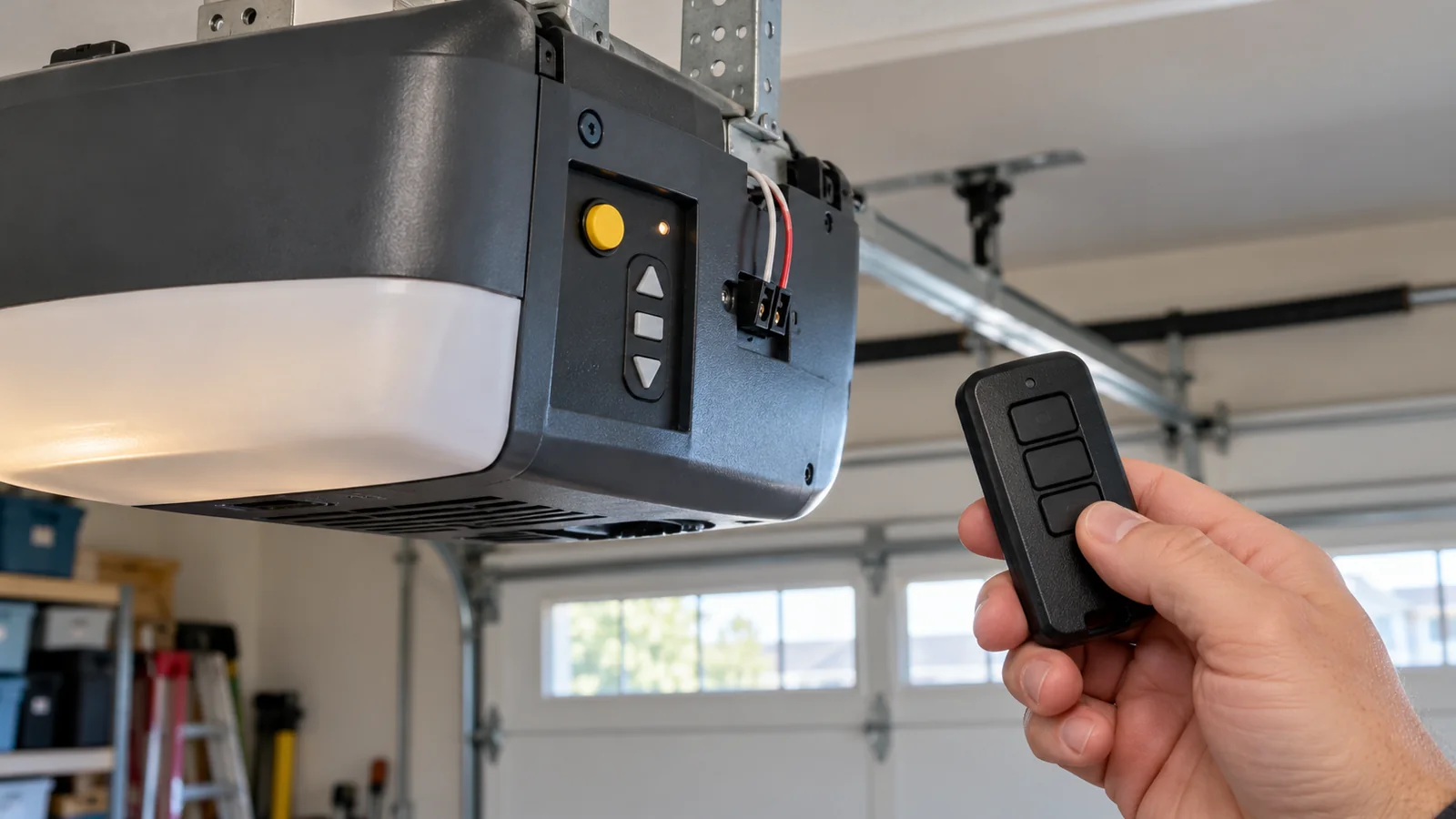
A new remote, an old one that needs pairing, or a second remote for the other car. Programming a compatible garage door opener remote takes a few minutes. Have the remote ready before you tap the learn button. The pairing window lasts 30 seconds.
This guide covers Chamberlain, LiftMaster and Chamberlain-built Craftsman openers. Start by matching the opener and remote model numbers. Universal and MAX remotes have their own setup steps before pairing, so keep the remote's instructions beside you.
Find the Learn Button and Check Its Color
The learn button sits on the motor unit on the ceiling, near the antenna wire or under the light cover. Its a small button with an LED next to it. The color tells you which remotes match your opener.
| Learn button color | Technology | Openers built |
|---|---|---|
| Round yellow | Security+ 2.0 | About 2011 to 2025 |
| Round white | Security+ 3.0 | 2025 and newer |
| Purple or faded brown | Security+ 315 MHz | 2005 to 2014 |
| Red or orange | Security+ 390 MHz | 1997 to 2004 |
| Green | Billion Code 390 MHz | 1993 to 1997 |
These are approximate years from Chamberlain's identification chart. LiftMaster model dates differ. Older white and square yellow buttons from before 1993 belong to different DIP-switch systems. Color alone is not enough: check the opener model and the remote's compatibility list before you buy. A remote made only for a yellow button wont pair with a purple one.
How to Program a Garage Door Remote With the Learn Button
Clear the door's path and keep the door in sight. It moves during some programming steps. These steps pair a compatible remote that is ready to transmit. If your universal or MAX remote has a separate Program button or setup sequence, complete that step in its manual first.
- Climb the ladder with the remote in your hand.
- Press and let go of the learn button. Dont hold it. The LED glows steady.
- Within 30 seconds, press and hold the remote button you want to use.
- Let go when the opener lights flash or you hear two clicks.
- Climb down, step clear of the door, and press the remote to test it.
Tap and release the learn button to start pairing. Holding it down for about 6 seconds erases stored remotes and keypads on the systems covered here. On LiftMaster 8500 and Chamberlain RJO20 wall-mount openers, use the learn button on the compatible wall control instead of the motor unit.
How to Program a Remote Without a Ladder
Some wall controls have there own learn button. Press it twice, wait for the LED to blink, then press and hold the remote button within 30 seconds. Wall panels with a screen use the menu instead: go to Program, pick Remote, then hold the remote button.
Openers with built-in Wi-Fi pair new remotes in the myQ app. Open Settings, tap Devices, add an accessory and pick Garage Door Remote. The app walks you through the rest.
How to Program a Garage Door Keypad
- Press and let go of the learn button on the opener.
- Within 30 seconds, type a 4-digit PIN on the keypad.
- Press and hold ENTER untill the opener lights flash.
Pick a PIN thats not your house number and not 1234.
How to Program Your Car to Open the Garage
Cars with garage buttons in the visor or mirror use HomeLink. The steps change by car and year, so follow the guide for your model at HomeLink.com. Newer Security+ 2.0 openers need one extra press of the learn button after you train the car, and the HomeLink guide covers it.
Why Your Garage Door Remote Wont Program
- Dead battery. Put in a fresh one and check it faces the right way.
- Wrong remote. The remote has to match your learn button color.
- Lock mode. The wall control's Lock setting blocks handheld remotes. Turn Lock off using the instructions for your wall control, then test again.
- Too slow. Wait for the learn LED to go out, then start again and finish inside the 30 seconds.
- LED light bulbs. Cheap LED bulbs in the opener jam the remote signal. Swap them for bulbs made for garage door openers.
- Cold. At -30 in an Edmonton January, a coin battery delivers less power. Test a fresh battery if the remote only works close to the garage in winter. If the range stays short, check the bulbs and antenna.
If the remote programs and the lights flash but the door still wont move, the problem is in the opener, not the remote. Look for blinking arrows or a blinking LED on the motor unit, and look it up in our list of garage door opener error codes. A code that points to the motor or the logic board is a job for garage door opener repair.
Lost a Remote? Erase Every Code
A lost or stolen remote still opens your garage. Press and hold the learn button for about 6 seconds, untill the LED goes out. That wipes every remote and keypad from the opener. Then program the ones you still have, and retrain the car buttons too.
Garage Door Remote FAQs
How long does it take to program a garage door remote?
Allow a few minutes to check compatibility and reach the controls. The learn-button pairing window lasts 30 seconds.
Can I program a garage door opener without the remote?
A compatible keypad pairs without a handheld remote. A connected myQ opener opens through the app. Programming built-in car buttons is a separate task: follow the HomeLink instructions for the vehicle and opener, including whether a working handheld remote is required.
Do universal remotes work with Chamberlain and LiftMaster?
Compatible universal remotes work with supported Chamberlain and LiftMaster models. Compatibility depends on the exact remote and opener, including the Security+ generation. Check both model numbers in the manufacturer's compatibility list. The word universal does not mean every opener.
Why does my remote only work close to the garage?
A weak battery, LED bulbs in the opener, or an antenna wire on the motor unit thats bent up against the ceiling. Fix them in that order.